
Demo UltranivoDemo Ultranivo

This is what your own AI assistant looks like

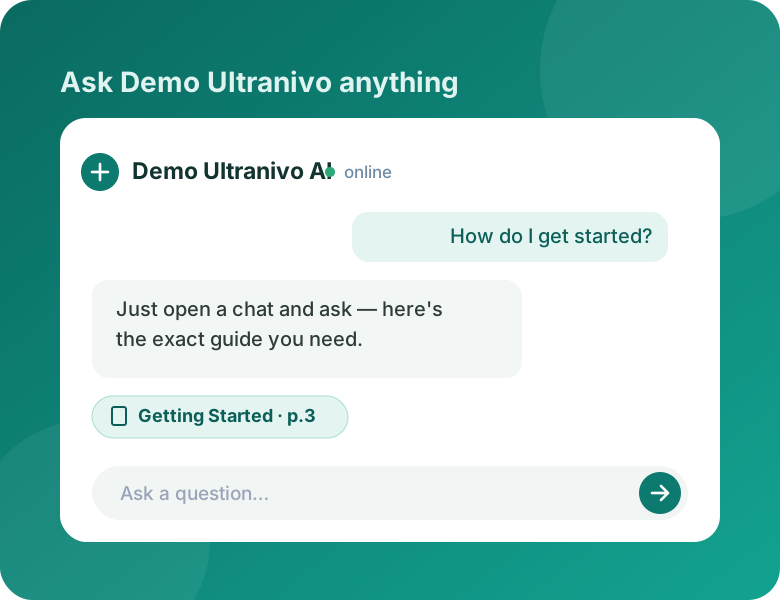
A working Ultranivo site, trained on Ultranivo's own documentation. Sign in and ask it about the dashboard, what your audience experiences, or how any of it works — then picture the same thing carrying your name.

Ask the demo

Ask it anything, in plain language

No search syntax, no keywords, no menu of topics to pick from. Type the question the way you would ask a person. While the assistant works it shows you what it is doing — reading, searching, drafting — instead of a blank spinner.

Answers only from your own content

Your assistant reads the documents and videos you give it, and answers from those alone. When something falls outside your library it says so instead of inventing an answer — because a confident wrong answer in your brand's voice is your problem, not the model's.

Every answer shows where it came from

A document answer cites the exact page. A video answer cites the exact timestamp and links straight to that moment. Your audience can check any claim in one click, instead of taking the assistant's word for it.

Answering at three in the morning

Your assistant does not sleep, take holidays, or get tired of the same question. Whatever hour someone arrives and whatever timezone they are in, the answer is immediate — and it is the same answer every time.

Your brand, your site, your address

This page is a brand's own site, not an Ultranivo page with a logo dropped in a corner. The name, colours, images and every word here were set from a dashboard — no developer, no code. Your assistant gets a site exactly like this, at your own address.

Your audience reads it in their own language

Each visitor picks their language from a menu — English, Spanish, French, German, Portuguese, Russian, Arabic, Hindi, Bengali and more. Right-to-left languages flip the entire layout, not just the text. Nobody has to read your site in a second language.

Ready to build your own?

Create an account to start asking. Every answer you get comes from Ultranivo's own documentation — the same way your assistant would answer from yours.

Start asking